
Opponent analysis
Turn match footage into preparation you can train against.
Competitive tennis is not only about how *you* play on the day. It is also about what you already know about the person across the net. CoachEye helps you keep opponent and match video in one workspace, study patterns and tendencies, and connect what you see to training plans, calendar targets, and coach collaboration when a coach uses the same product with you.
Why this matters
Without a structured place for video, preparation drifts into memory and guesswork. When you can upload and revisit footage—your matches, practice video, and recordings of specific opponents—you build a clearer picture of strengths, weaknesses, and habits that tend to repeat.
That makes it easier to:
- prepare for upcoming opponents with evidence, not only intuition
- track your own progress against the same reference points over a season
- align what you practice with what the video shows you need
What you can do
With Video Analysis and the rest of CoachEye, you can:
- Collect video — your games, training clips, and opponent footage you are allowed to use, in one library you can search and reopen.
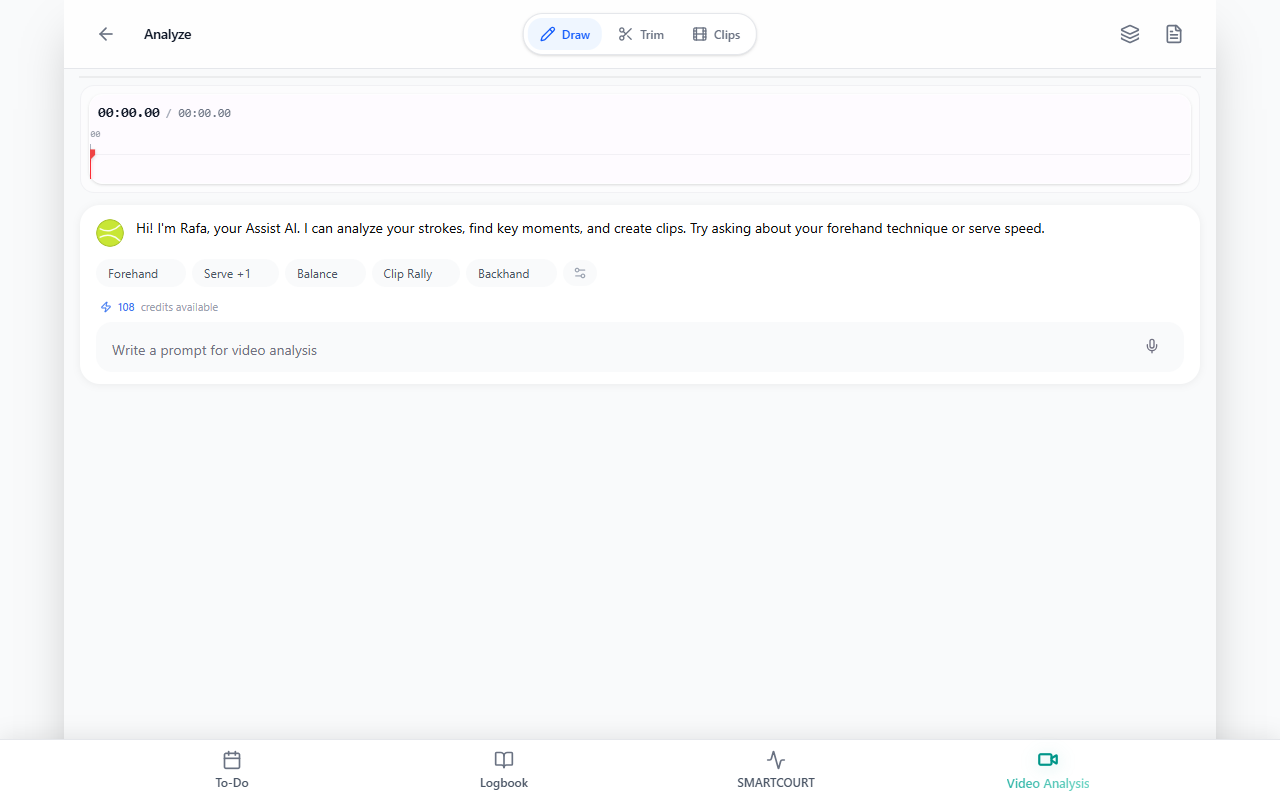
- Review deliberately — slow playback, notes, marked moments, and (where your build offers it) plain-language Assist questions to explore patterns.
- Shape training — tie insights to Development Plans, Today, Training Hub content, and Training sessions so practice targets real gaps.
- Work with a coach — share the same logbook context, video, and history so a coach can help you interpret footage and adjust the plan inside the same workflow.
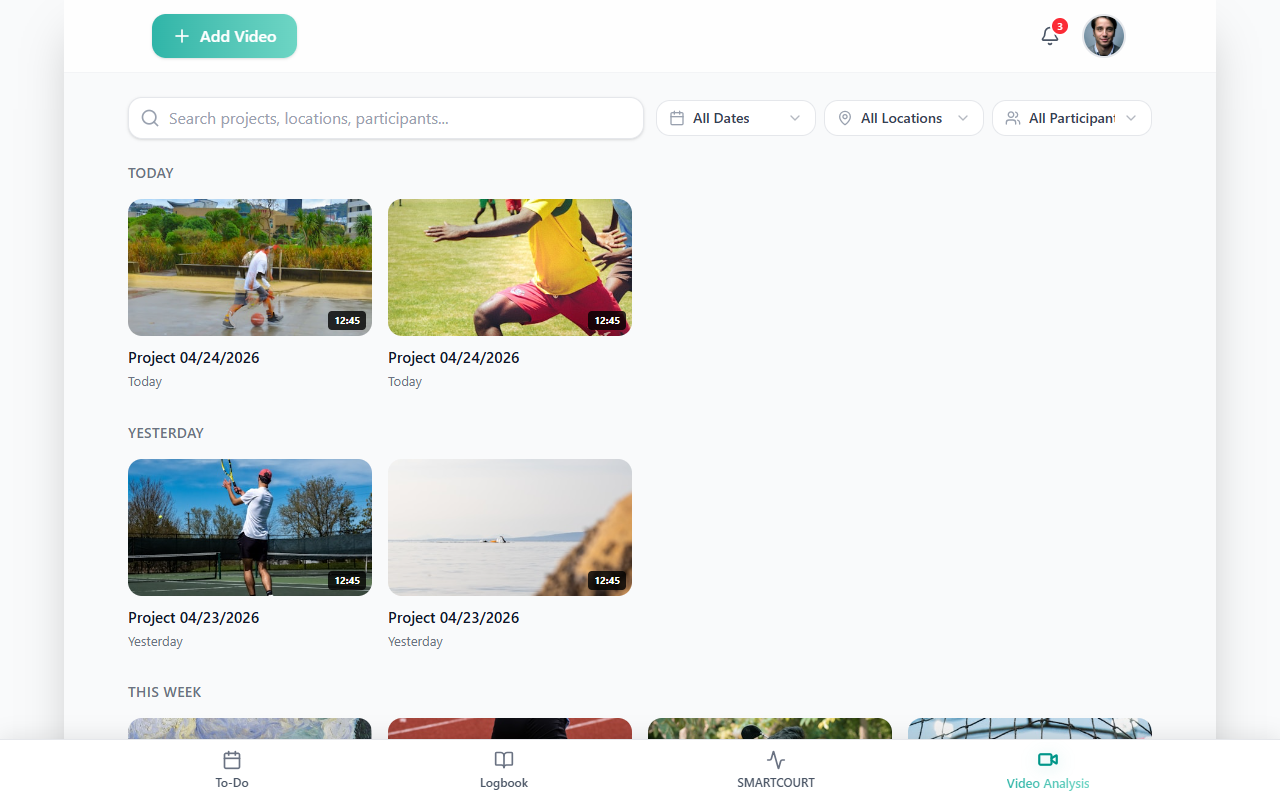
Build a library of game and opponent video
Use Video Analysis to add projects the same way you would for your own footage: Add Video, then choose Upload from device, Add from link when link import is available in your workspace, Record new video, or Add from session recordings to pull from Logbook-linked sessions when that fits your workflow.
Keep separate projects or clear naming so “self” review stays distinct from opponent scouting—that makes returning to the right tape before a key match faster.
Study strengths, weaknesses, and progress
Open a project and use the review workspace to watch critical points again: service patterns, return depth, movement under pressure, or tactical habits that show up more than once.
Over time, revisiting the same opponent or similar playing styles helps you see whether your reads and adjustments are improving—not only whether you won or lost one match.
Three ways athletes use this loop
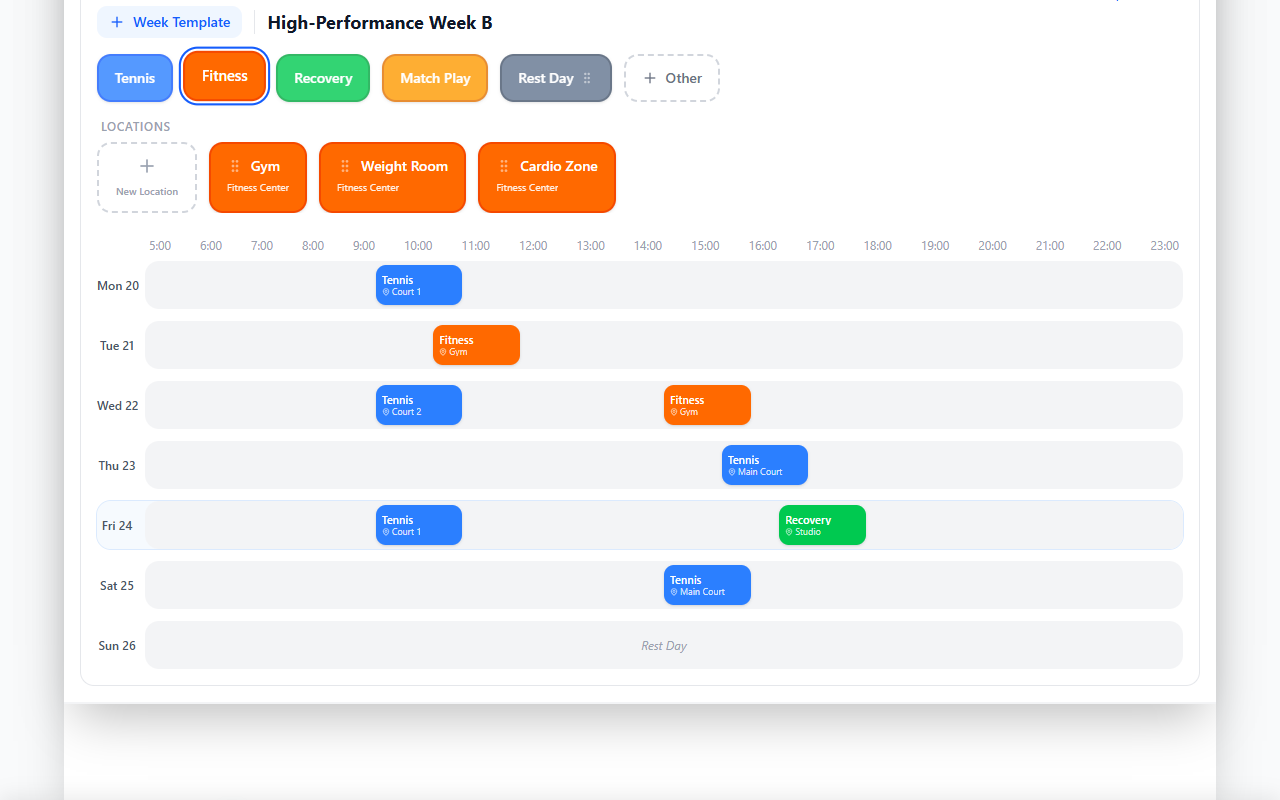
1. Peak for the dates that matter
Use Development Plans and Today to lay out the weeks before a tournament, league weekend, or ranking event. Combine calendar structure with what video and Analytics & Progress show you still need to sharpen, so training volume and focus ramp toward the right window instead of drifting.
2. Prepare for specific opponents
After you identify tendencies in Video Analysis, turn them into concrete training choices: drills, session templates, and focus areas from Training Hub, Training sessions, and Drills Collection. Schedule a match when you want the upcoming opponent on your Today timeline alongside the work you are doing to meet them.
3. Bring a coach into the same picture
When your coach uses CoachEye with you, shared logbooks, session history, and video give you a shared language: less “I think they like wide balls” and more “here are three clips that show it.” That makes remote or limited-court time more productive for both of you.
How this connects to the rest of CoachEye
- Video Analysis — add, organize, and review footage, including opponent projects.
- Video & Smart Court · Smart Court — capture and context for your own on-court work.
- Training Management — keep planning, execution, and review in one mental model.
- For Individual Athletes — broader solo-athlete narrative and links.
Tips
- Use footage you are entitled to store and analyze; rights and venue rules vary by context.
- Prefer clear, stable camera angles so patterns (serve placement, court positioning) are easier to see.
- After each scouting pass, add one or two training priorities to your next week so insight does not evaporate.
- Re-open older projects before a rematch to refresh reads without starting from zero.
Related guides
- For Individual Athletes — structure, accountability, and the full Plan → Train → Review loop.
- Video Analysis — step-by-step use of the workspace.
- Development Plans · Today — time-based preparation.
- Training sessions · Drills Collection · Create New Drill — building practice from what video shows.
- Schedule a match — put the upcoming opponent on your calendar.
- Analytics & Progress · Logbook — progress and history alongside video.